

Security you can trust Transparency you can verify
dominKnow | ONE protects your learning content with independently attested security with SOC 2 Type II, SSO, and modern encryption.

[00:03] What would you like to create?
[00:06] Domino One can help you create any kind
[00:08] of learning experience to help your organization.
[00:13] That might be formal learning, like e-learning courses
[00:34] or other learning experiences like games,
[00:48] infographics,
[00:56] or a knowledge base,
[01:01] which can help your learners learn in different ways.
[01:09] Domino One helps your team centralize
[01:11] its learning content development.
[01:13] Your team makes everything in one place,
[01:15] so content files never get lost.
[01:19] Your team can make traditional fixed layout content
[01:23] or make truly responsive content all in one place.
[01:39] It is easy to get started in Domino One.
[01:44] There are great design template sets,
[01:55] collections of stock images like backgrounds and people.
[02:13] You can even start by importing a PowerPoint file
[02:17] with Domino One.
[02:18] Your team will need fewer tools overall.
[02:22] With the Built-in Image editor, you can apply filters
[02:25] and crop or resize images quickly.
[02:27] With the Built-In Capture feature,
[02:29] you can quickly create software lessons.
[02:39] The content your team creates can be shared
[02:41] across multiple projects.
[02:43] The centralized media library makes it easy to track
[02:45] where an image has been used
[02:47] and quickly updated across all pages.
[02:51] Learning topics can be shared across multiple projects.
[02:58] Your team can even work together in real time in any
[03:02] project, and it's so easy to gather.
[03:05] Review feedback, just invite your SMEs to a review.
[03:09] And Domino One helps you track every
[03:10] issue through to completion.
[03:13] Domino one, it's the tool that asks you what would you like
[03:17] to create?

[00:03] What would you like to create?
[00:06] Domino One can help you create any kind
[00:08] of learning experience to help your organization.
[00:13] That might be formal learning, like e-learning courses
[00:34] or other learning experiences like games,
[00:48] infographics,
[00:56] or a knowledge base,
[01:01] which can help your learners learn in different ways.
[01:09] Domino One helps your team centralize
[01:11] its learning content development.
[01:13] Your team makes everything in one place,
[01:15] so content files never get lost.
[01:19] Your team can make traditional fixed layout content
[01:23] or make truly responsive content all in one place.
[01:39] It is easy to get started in Domino One.
[01:44] There are great design template sets,
[01:55] collections of stock images like backgrounds and people.
[02:13] You can even start by importing a PowerPoint file
[02:17] with Domino One.
[02:18] Your team will need fewer tools overall.
[02:22] With the Built-in Image editor, you can apply filters
[02:25] and crop or resize images quickly.
[02:27] With the Built-In Capture feature,
[02:29] you can quickly create software lessons.
[02:39] The content your team creates can be shared
[02:41] across multiple projects.
[02:43] The centralized media library makes it easy to track
[02:45] where an image has been used
[02:47] and quickly updated across all pages.
[02:51] Learning topics can be shared across multiple projects.
[02:58] Your team can even work together in real time in any
[03:02] project, and it's so easy to gather.
[03:05] Review feedback, just invite your SMEs to a review.
[03:09] And Domino One helps you track every
[03:10] issue through to completion.
[03:13] Domino one, it's the tool that asks you what would you like
[03:17] to create?
[00:03] What would you like to create?
[00:06] Domino One can help you create any kind
[00:08] of learning experience to help your organization.
[00:13] That might be formal learning, like e-learning courses
[00:34] or other learning experiences like games,
[00:48] infographics,
[00:56] or a knowledge base,
[01:01] which can help your learners learn in different ways.
[01:09] Domino One helps your team centralize
[01:11] its learning content development.
[01:13] Your team makes everything in one place,
[01:15] so content files never get lost.
[01:19] Your team can make traditional fixed layout content
[01:23] or make truly responsive content all in one place.
[01:39] It is easy to get started in Domino One.
[01:44] There are great design template sets,
[01:55] collections of stock images like backgrounds and people.
[02:13] You can even start by importing a PowerPoint file
[02:17] with Domino One.
[02:18] Your team will need fewer tools overall.
[02:22] With the Built-in Image editor, you can apply filters
[02:25] and crop or resize images quickly.
[02:27] With the Built-In Capture feature,
[02:29] you can quickly create software lessons.
[02:39] The content your team creates can be shared
[02:41] across multiple projects.
[02:43] The centralized media library makes it easy to track
[02:45] where an image has been used
[02:47] and quickly updated across all pages.
[02:51] Learning topics can be shared across multiple projects.
[02:58] Your team can even work together in real time in any
[03:02] project, and it's so easy to gather.
[03:05] Review feedback, just invite your SMEs to a review.
[03:09] And Domino One helps you track every
[03:10] issue through to completion.
[03:13] Domino one, it's the tool that asks you what would you like
[03:17] to create?


[00:03] What would you like to create?
[00:06] Domino One can help you create any kind
[00:08] of learning experience to help your organization.
[00:13] That might be formal learning, like e-learning courses
[00:34] or other learning experiences like games,
[00:48] infographics,
[00:56] or a knowledge base,
[01:01] which can help your learners learn in different ways.
[01:09] Domino One helps your team centralize
[01:11] its learning content development.
[01:13] Your team makes everything in one place,
[01:15] so content files never get lost.
[01:19] Your team can make traditional fixed layout content
[01:23] or make truly responsive content all in one place.
[01:39] It is easy to get started in Domino One.
[01:44] There are great design template sets,
[01:55] collections of stock images like backgrounds and people.
[02:13] You can even start by importing a PowerPoint file
[02:17] with Domino One.
[02:18] Your team will need fewer tools overall.
[02:22] With the Built-in Image editor, you can apply filters
[02:25] and crop or resize images quickly.
[02:27] With the Built-In Capture feature,
[02:29] you can quickly create software lessons.
[02:39] The content your team creates can be shared
[02:41] across multiple projects.
[02:43] The centralized media library makes it easy to track
[02:45] where an image has been used
[02:47] and quickly updated across all pages.
[02:51] Learning topics can be shared across multiple projects.
[02:58] Your team can even work together in real time in any
[03:02] project, and it's so easy to gather.
[03:05] Review feedback, just invite your SMEs to a review.
[03:09] And Domino One helps you track every
[03:10] issue through to completion.
[03:13] Domino one, it's the tool that asks you what would you like
[03:17] to create?
dominKnow | ONE protects your learning content with independently attested security with SOC 2 Type II, SSO, and modern encryption.

dominKnow provides secure, scalable learning content authoring, governance, and delivery. We maintain SOC 2 Type II attestation. Our hosting providers (AWS, Rogers, Oracle) maintain SOC 2 Type II and ISO27001 compliance.
We maintain SOC 2 Type II attestation for dominKnow | ONE. Latest report: Oct 1, 2025. Available under NDA.

99.9% uptime (excludes maintenance). Standard maintenance: Friday 9:00 pm–4:00 am ET Monday.

Canada is primary (AWS Canada and Rogers). Alternate regions available (e.g., UK, Saudi Arabia, Australia, US)
Adoption of 1.3 in Q1 2026
DB, objects, backups
Keys are rotated as defined or required (performed annually at a minimum)
Business Plus / Enterprise & Convey
SP-initiated
30-day retention
Stored in country in a different geographic area for resilience
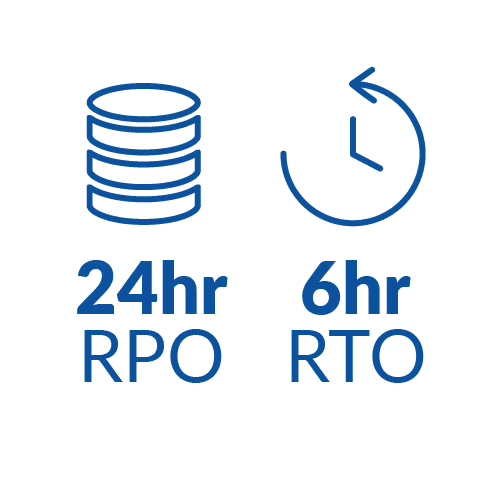
The Production sites/data are captured daily to a redundant disk-based backup system
Annual 3rd-party penetration test (pen test); quarterly internal tests