This sample is available as a template in dominKnow | ONE.Sign up for a free trial to check it out!


[00:03] What would you like to create?
[00:06] Domino One can help you create any kind
[00:08] of learning experience to help your organization.
[00:13] That might be formal learning, like e-learning courses
[00:34] or other learning experiences like games,
[00:48] infographics,
[00:56] or a knowledge base,
[01:01] which can help your learners learn in different ways.
[01:09] Domino One helps your team centralize
[01:11] its learning content development.
[01:13] Your team makes everything in one place,
[01:15] so content files never get lost.
[01:19] Your team can make traditional fixed layout content
[01:23] or make truly responsive content all in one place.
[01:39] It is easy to get started in Domino One.
[01:44] There are great design template sets,
[01:55] collections of stock images like backgrounds and people.
[02:13] You can even start by importing a PowerPoint file
[02:17] with Domino One.
[02:18] Your team will need fewer tools overall.
[02:22] With the Built-in Image editor, you can apply filters
[02:25] and crop or resize images quickly.
[02:27] With the Built-In Capture feature,
[02:29] you can quickly create software lessons.
[02:39] The content your team creates can be shared
[02:41] across multiple projects.
[02:43] The centralized media library makes it easy to track
[02:45] where an image has been used
[02:47] and quickly updated across all pages.
[02:51] Learning topics can be shared across multiple projects.
[02:58] Your team can even work together in real time in any
[03:02] project, and it's so easy to gather.
[03:05] Review feedback, just invite your SMEs to a review.
[03:09] And Domino One helps you track every
[03:10] issue through to completion.
[03:13] Domino one, it's the tool that asks you what would you like
[03:17] to create?

[00:03] What would you like to create?
[00:06] Domino One can help you create any kind
[00:08] of learning experience to help your organization.
[00:13] That might be formal learning, like e-learning courses
[00:34] or other learning experiences like games,
[00:48] infographics,
[00:56] or a knowledge base,
[01:01] which can help your learners learn in different ways.
[01:09] Domino One helps your team centralize
[01:11] its learning content development.
[01:13] Your team makes everything in one place,
[01:15] so content files never get lost.
[01:19] Your team can make traditional fixed layout content
[01:23] or make truly responsive content all in one place.
[01:39] It is easy to get started in Domino One.
[01:44] There are great design template sets,
[01:55] collections of stock images like backgrounds and people.
[02:13] You can even start by importing a PowerPoint file
[02:17] with Domino One.
[02:18] Your team will need fewer tools overall.
[02:22] With the Built-in Image editor, you can apply filters
[02:25] and crop or resize images quickly.
[02:27] With the Built-In Capture feature,
[02:29] you can quickly create software lessons.
[02:39] The content your team creates can be shared
[02:41] across multiple projects.
[02:43] The centralized media library makes it easy to track
[02:45] where an image has been used
[02:47] and quickly updated across all pages.
[02:51] Learning topics can be shared across multiple projects.
[02:58] Your team can even work together in real time in any
[03:02] project, and it's so easy to gather.
[03:05] Review feedback, just invite your SMEs to a review.
[03:09] And Domino One helps you track every
[03:10] issue through to completion.
[03:13] Domino one, it's the tool that asks you what would you like
[03:17] to create?
[00:03] What would you like to create?
[00:06] Domino One can help you create any kind
[00:08] of learning experience to help your organization.
[00:13] That might be formal learning, like e-learning courses
[00:34] or other learning experiences like games,
[00:48] infographics,
[00:56] or a knowledge base,
[01:01] which can help your learners learn in different ways.
[01:09] Domino One helps your team centralize
[01:11] its learning content development.
[01:13] Your team makes everything in one place,
[01:15] so content files never get lost.
[01:19] Your team can make traditional fixed layout content
[01:23] or make truly responsive content all in one place.
[01:39] It is easy to get started in Domino One.
[01:44] There are great design template sets,
[01:55] collections of stock images like backgrounds and people.
[02:13] You can even start by importing a PowerPoint file
[02:17] with Domino One.
[02:18] Your team will need fewer tools overall.
[02:22] With the Built-in Image editor, you can apply filters
[02:25] and crop or resize images quickly.
[02:27] With the Built-In Capture feature,
[02:29] you can quickly create software lessons.
[02:39] The content your team creates can be shared
[02:41] across multiple projects.
[02:43] The centralized media library makes it easy to track
[02:45] where an image has been used
[02:47] and quickly updated across all pages.
[02:51] Learning topics can be shared across multiple projects.
[02:58] Your team can even work together in real time in any
[03:02] project, and it's so easy to gather.
[03:05] Review feedback, just invite your SMEs to a review.
[03:09] And Domino One helps you track every
[03:10] issue through to completion.
[03:13] Domino one, it's the tool that asks you what would you like
[03:17] to create?


[00:03] What would you like to create?
[00:06] Domino One can help you create any kind
[00:08] of learning experience to help your organization.
[00:13] That might be formal learning, like e-learning courses
[00:34] or other learning experiences like games,
[00:48] infographics,
[00:56] or a knowledge base,
[01:01] which can help your learners learn in different ways.
[01:09] Domino One helps your team centralize
[01:11] its learning content development.
[01:13] Your team makes everything in one place,
[01:15] so content files never get lost.
[01:19] Your team can make traditional fixed layout content
[01:23] or make truly responsive content all in one place.
[01:39] It is easy to get started in Domino One.
[01:44] There are great design template sets,
[01:55] collections of stock images like backgrounds and people.
[02:13] You can even start by importing a PowerPoint file
[02:17] with Domino One.
[02:18] Your team will need fewer tools overall.
[02:22] With the Built-in Image editor, you can apply filters
[02:25] and crop or resize images quickly.
[02:27] With the Built-In Capture feature,
[02:29] you can quickly create software lessons.
[02:39] The content your team creates can be shared
[02:41] across multiple projects.
[02:43] The centralized media library makes it easy to track
[02:45] where an image has been used
[02:47] and quickly updated across all pages.
[02:51] Learning topics can be shared across multiple projects.
[02:58] Your team can even work together in real time in any
[03:02] project, and it's so easy to gather.
[03:05] Review feedback, just invite your SMEs to a review.
[03:09] And Domino One helps you track every
[03:10] issue through to completion.
[03:13] Domino one, it's the tool that asks you what would you like
[03:17] to create?
Learn how to become a “Security Champion” with this interactive course built in Flow that puts learners in real-world situations where protecting information and privacy matters.
This scenario-driven learning experience challenges learners to recognize common security risks and make smart decisions to keep data safe. Through interactive questions and practical examples, learners explore how everyday actions can either strengthen or weaken an organization’s information security.
Throughout the course, learners focus on the core responsibilities every employee shares in protecting data and systems. They’ll discover how security threats happen, how quickly information can be compromised, and what simple actions can prevent costly incidents.
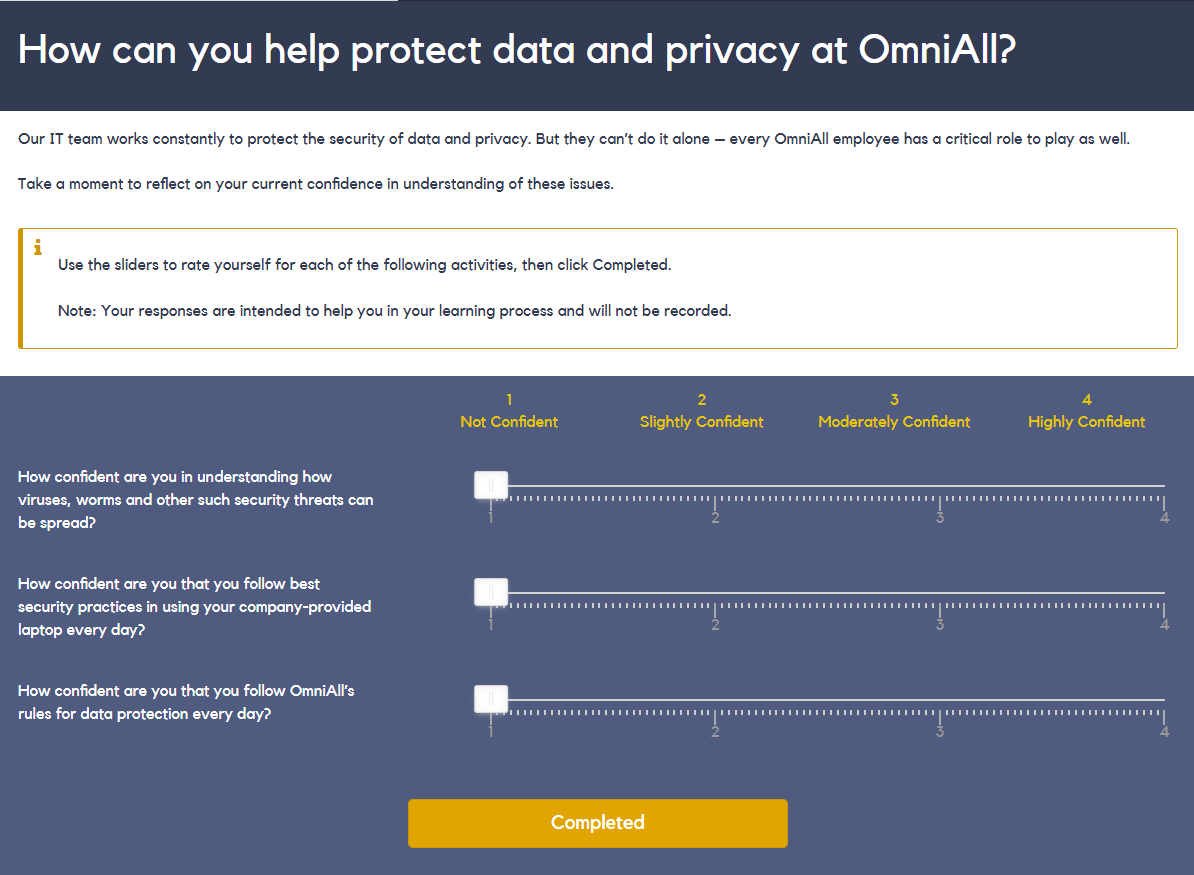
The course begins by helping learners understand their role in safeguarding information and reflecting on their current confidence in handling security and privacy challenges.
From there, learners explore key areas such as:
Clear explanations, examples, and interactive activities guide learners through each topic, reinforcing the importance of individual responsibility in maintaining organizational security.
By the end of the course, learners gain the knowledge and awareness needed to make better decisions, protect sensitive information, and play an active role in keeping their organization’s data safe.
This sample is available as a template in dominKnow | ONE.Sign up for a free trial to check it out!