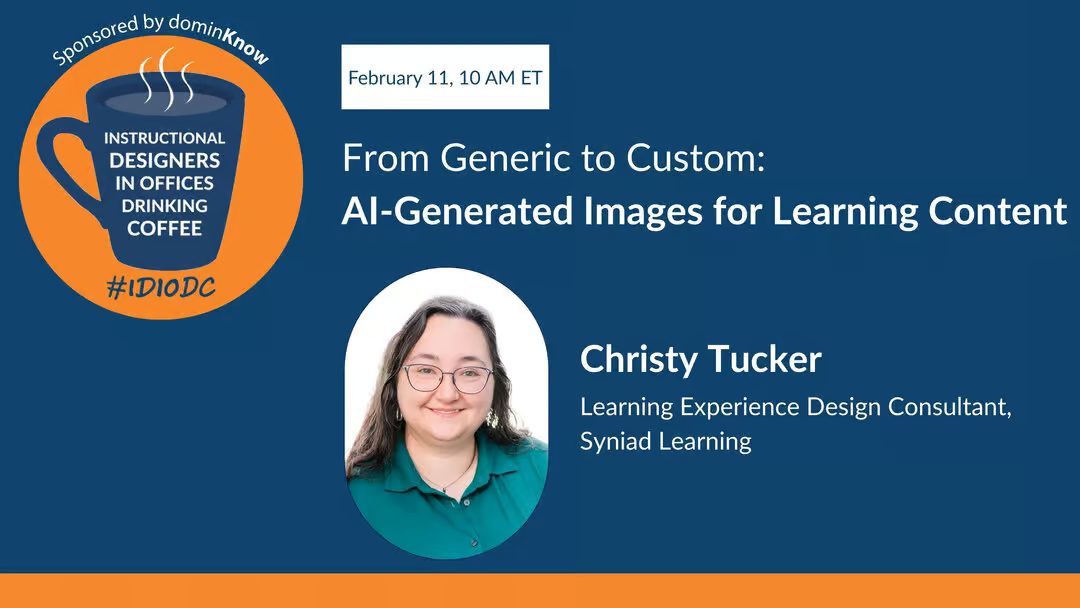
Introduction and Welcome
[00:00:32] Chris Van Wingerden: Hello folks. Hello friends. Welcome to Instructional Designers in Offices Drinking Coffee, #IDIODC, brought to you by the team here at dominKnow where we empower L&D teams to develop, manage, and deliver impactful learning content at scale.
Upcoming dominKnow Bootcamp
[00:00:50] Chris Van Wingerden: If you’ve ever wondered a bit about us, we’re hosting a free bootcamp in March to learn more about the dominKnow system, including our responsive authoring option Flow, our fixed-pixel traditional e-learning Claro, and our software simulation feature Capture, plus lots more. We’re posting links to that free sign-up; join us for a week of sessions and some homework, and get a short-term free subscription so you can roll up your sleeves and learn more about the tool.
[00:01:19] Paul Schneider: And you forgot one of the best parts, Chris – it’s led by our very own Chris Van Wingerden, although he actually makes you do homework, so he’s the mean teacher.
[00:01:33] Christy Tucker: You’ve got to get hands-on with the tool to learn it.
[00:01:34] Chris Van Wingerden: That’s right; we’ve got to roll up your sleeves, you can’t just watch the webinars.
Guest Introduction: Christy Tucker
[00:01:38] Chris Van Wingerden: Hey gang, Christy Tucker is here with us today. Christy, you were flashing your collectible IDIODC mug as part of our time getting started. You’ve been with us before, but there are probably folks who haven’t caught up with you yet, so tell us a little bit about yourself.
[00:01:56] Christy Tucker: It has definitely been quite a few years; I didn’t look up when I was on the podcast before, but I did find my mug this morning. My name is Christy Tucker, I’m a learning experience design consultant. It is tea in my mug, not coffee – I’m mostly a tea drinker, but “hot or cold beverage of your choice in offices drinking coffee” would be a very long hashtag.
[00:02:26] Christy Tucker: I’ve been a consultant for a number of years and working in online learning for about 20 years. I specialize in scenario-based learning and branching scenarios, and I’ve been blogging for almost 20 years, which is a lot of blog posts and writing. It started back when blogging was new and there were lots of educational blogs. These days I also do a lot of work with AI images and use my blog as a place to work out loud, showing what I’m experimenting with, what worked, and what didn’t.
Challenges with Stock Photos
[00:03:25] Chris Van Wingerden: Most authoring tools, including dominKnow, have collections of characters and stock photos you can use, but stock photo libraries have limits. I once drove by a billboard and thought, “Oh, I used that exact stock photo in a project last year,” and knew exactly which service it came from.
[00:03:53] Christy Tucker: There’s a model I see everywhere in stock photos, in marketing materials and billboards. I once worked for an organization that hired non-models and did exclusive photo shoots, buying out their likeness so they’d only appear in that organization’s ads. That’s extremely expensive and not something we’re going to do for typical e-learning projects.
[00:04:38] Paul Schneider: No matter how big the library seemed, it was never big enough for whatever you were looking for, or you couldn’t find the exact thing even if it existed.
[00:04:53] Chris Van Wingerden: Or you find three images but you need five of the same person, especially for scenarios where you want consistent characters across scenes, and you end up scrambling.
[00:05:14] Christy Tucker: Exactly. One challenge with stock images is that they’re designed for marketing, so you tend to get happy, smiley people, which is not always right for training or scenarios. For alternate paths and “what not to do” examples, you need angry, confused, or frustrated expressions, which are harder to find. Character libraries in authoring tools help, but then you still have to assemble full scenes. They’re a valid choice, but they do have limits.
[00:06:09] Christy Tucker: Diversity is another issue. I had a project on Native American issues and Native Americans are terribly underrepresented in stock photos, even in expensive libraries. We didn’t have the budget for a custom photo shoot. Nobody had Native Americans in their character libraries, and I specifically needed a Native American high school student for a teacher training course. The few images available were often stereotypical. It was something that frankly wasn’t really possible with just stock libraries; I made do, but it’s one of those courses I’d love to revisit with AI now because I could get more relevant images.
Why AI Images for Scenarios
[00:07:35] Paul Schneider: Looking for those images can be such a time sink. Searches have improved and AI has helped. I was impressed by how you’ve documented both the pain and the good, not always getting the results you wanted. Tell us more about your journey and when you realized you needed something like AI image generation.
[00:08:25] Christy Tucker: My drive for using AI images was largely about scenarios. I build branching scenarios and want characters in scenes talking to multiple people. When I started with AI image generation, it was clear that character consistency wasn’t possible at first. In 2023 and early 2024 nobody was really getting consistent characters.
Using AI Images for Blog Posts and Practice
[00:08:54] Christy Tucker: I’ve also gotten a lot of experience because I publish a blog post every week and need a cover image each time. I’d been doing geometric background textures, purely decorative and not that relevant. I decided to try creating more relevant images and use that as practice with AI image generation. That weekly cadence gave me consistent practice; as with your bootcamp, there’s no shortcut—you have to do the work.
[00:09:42] Christy Tucker: Early on I migrated to more illustrated styles because truly photorealistic images were clearly AI and a bit uncanny, so I leaned into fantasy or illustrated images instead of pretending they were realistic. When Midjourney released character references—letting you generate multiple poses from a reference image—I experimented with that. Even a year before people got excited about ChatGPT’s capabilities, Midjourney was already doing it. You could still tell they were AI characters, but I could get one character in multiple poses and expressions with enough consistency to tell a story in a scenario. Once I saw that, I was hooked.
[00:11:02] Christy Tucker: I love AI both for building character-based scenarios and for relevant blog images. When my content is abstract, I can create visual metaphors or more specific graphics instead of generic textures.
Safe Space to Experiment
[00:11:33] Chris Van Wingerden: It’s great that you had the chance to do that without the pressure of a client deadline. You weren’t sitting there thinking, “If this doesn’t work, I’m in trouble.” That’s a safe space most people don’t have.
[00:12:01] Christy Tucker: My blog gives me room to experiment. I don’t have consistent styles there because I’m intentionally trying different approaches: different illustration styles, pushing photorealism, or leaning into illustration. With stock images, I mostly used photorealistic photos to keep a consistent look. Or I’d pick a line or flat icon style and hope I could find every icon needed in that style, recoloring if necessary. It was almost impossible to find illustrations from one artist in a consistent style. Now AI makes it much easier to get that consistency, so I have more flexibility to use illustrations.
[00:13:04] Christy Tucker: I also did a lot of experimentation on my own before using AI images for clients. For my own stuff, “close enough” to my brand colors was fine. For clients, I now match colors more precisely, but that took time and practice.
Tools and Prompting for Consistency
[00:13:42] Paul Schneider: When I played with some of these tools, I found that achieving consistency could be hard, though it’s improving. On the other side, sometimes I wanted something different, like a new blog header image, but the system kept the same style or layout. What helps you keep consistency when you want it, and avoid it when you don’t?
[00:14:35] Christy Tucker: Consistency depends a lot on the tool. Most people are used to chatting with ChatGPT or another LLM. ChatGPT’s image generation had a big upgrade, and the latest update is a significant step forward. In tools like ChatGPT and Nano Banana Pro (Gemini’s image generator), you can talk in full sentences and give natural-language directions like “change the color of the mug from green to blue.” To get consistency, you need a reference image: you supply an image and then ask to change one or two elements at a time. If you try to change five things in one prompt, it often loses the thread.
[00:15:58] Christy Tucker: Image models tend to pay more attention to the beginning of the prompt than the end. If you really care about lighting, texture, or style, put that early in the prompt. I use several prompt structures, but reordering helps. If a long iterative chat starts to drift and lose context, start a new chat with a clean history, re-upload the reference, and continue from there.
[00:17:19] Christy Tucker: For illustrations and consistent colors, ChatGPT and Nano Banana have improved. You can upload an image plus a color scheme or hex codes and ask it to match the color grading. They can recolor, but they sometimes change things you didn’t intend, so it’s not perfect. There are also more specialized tools.
Brushless, Recraft, and Vector Icons
[00:18:09] Christy Tucker: Tools like Brushless and Recraft are designed for illustrations and professional work where you upload a color palette. Brushless is great for icons: it has icon styles like flat vector, marker scribble, or outlined with a main and accent color. It exports SVGs, so you can edit colors in a vector tool, which is hugely useful in training where you need consistent icons that match your brand.
[00:19:48] Christy Tucker: Recraft also does vectors and provides built-in styles so you don’t have to engineer the whole prompt; you pick a style and it handles the style prompt behind the scenes. Vector images are often better for training applications. ChatGPT and Nano Banana sometimes give you vectors or transparent backgrounds if you prompt for them, but not consistently. They also tend to ignore aspect ratio instructions.
[00:20:29] Christy Tucker: I might say “16 by 9,” and it gives me 4 by 3. If you need precise aspect ratios, you may have to pan out and crop in those tools, or use tools that honor aspect ratios directly, like Midjourney, Recraft, or Brushless. Some tools just can’t “count” reliably in the way you’d expect.
[00:21:42] Christy Tucker: Midjourney handles aspect ratios well and offers a much wider variety of styles. ChatGPT images often look like ChatGPT images; people recognize the default styles and fonts. In Midjourney, you can use a style explorer or create and reuse your own styles. If you generate one image you like, you can use it as a style reference for a whole set, which helps you get a cohesive look across multiple visuals.
Costs, Free Trials, and Multi-Model Tools
[00:24:30] Chris Van Wingerden: Are these free tools, and how do you think about budgets when you’re working with clients?
[00:24:44] Christy Tucker: Almost all the tools I’ve mentioned have free trials or limited free generation; Midjourney is an exception. Personally, I’m spending less on AI tools than I used to spend on custom image libraries and character packs. I still use some stock, but not enough to justify a monthly subscription, so I buy credits when needed. For some content—like safety equipment—I still trust stock more than AI because accuracy matters.
[00:25:45] Christy Tucker: Tools like Freepik Spaces and Flora are node-based “canvas” tools where you can chain multiple image models in one workflow. You pay one subscription and get access to many different models. That’s powerful because different models have different strengths and weaknesses. Sometimes Nano Banana is brilliant; other times it insists on merging two characters into a single “transporter accident” body, and you have to switch to something like Runway or another model.
[00:26:23] Christy Tucker: Many tools are in the $10–$20 per month range. If you’re experimenting, you can pay for one month, try a tool, then switch. If you can only pay for one thing, I’d consider something like Flora or Freepik Spaces that gives you multiple models. If you’re an Adobe shop, Firefly is attractive because you get multiple models inside the Adobe ecosystem.
Copilot, Enterprise AI, and Limits
[00:28:00] Paul Schneider: I was surprised to see AI image generation natively inside PowerPoint via Copilot. There’s other enterprise AI in that ecosystem too. How do you see those?
[00:28:38] Christy Tucker: Most tools now use some form of tokens or credits per generation. In things like Flora or Spaces you get a monthly token allowance and some models cost more than others. Nano Banana’s higher-end models are token-expensive, so I might start with a cheaper model like Flux and switch only when needed. Firefly is wrapped into Creative Cloud for many people. Copilot in Microsoft tools is basically a ChatGPT-style image model with additional enterprise controls.
[00:29:56] Christy Tucker: I’ve heard that Copilot’s image results are fine for some use cases but have similar upper limits to ChatGPT image generation. For heavy scenario work with many characters, Copilot may not be enough on its own—you’ll probably still need specialized tools or a multi-tool workflow.
Bias, Representation, and Accessibility
[00:30:37] Paul Schneider: Coming back to underrepresented populations, like your Native American example, what are you seeing now with AI in terms of stereotypes and representation?
[00:31:12] Christy Tucker: Every AI image model is trained on existing imagery—which includes all the bias in stock photos and the wider web. If you prompt “CEO” with no qualifiers, you’ll get a white man the vast majority of the time. The predictive nature of these models amplifies bias and stereotypes from the training data.
[00:32:09] Christy Tucker: You can counteract that by being explicit. You must prompt for race, gender, age, clothing, and other context. I’ve had success creating an Alaska Native woman in a specific jacket with a repeating pattern, and getting that pattern to carry across images. I’ve also created more specific populations like Turkish or Malaysian characters where stock libraries were weak. It’s similar to stock photo search: if you just search “happy team,” you’ll get stereotypical imagery; you have to intentionally ask for diversity.
[00:33:52] Christy Tucker: Tools are getting better at racial and ethnic diversity, but still lean toward conventionally attractive people and certain body types, again reflecting stock-photo bias. Natural hair for Black women is an area where Midjourney does fairly well, while ChatGPT has been less consistent. Visible disabilities are still a challenge. I want more people with canes, forearm crutches, realistic wheelchairs, and different kinds of mobility devices in scenarios, but the models don’t yet have robust training data there. Newer model versions may improve this, and it’s something I plan to keep testing.
Legal and Ethical Considerations
[00:36:11] Paul Schneider: There are also questions around copyright, reference images, and cloning voices or styles. Any principles you follow?
[00:37:10] Christy Tucker: I assume any image I create purely in AI is not copyrightable unless I do significant editing, which is usually fine for internal training. But I wouldn’t generate a company logo with AI and then expect to trademark it; that’s where I’d say, “Hire a human designer.”
[00:37:51] Christy Tucker: If you’re worried about training data, Adobe Firefly is trained only on licensed content from Adobe’s libraries, so that’s a safer path from that perspective. Personally, my ethical line is that I don’t prompt “in the style of” any living or hireable artist. If you could plausibly hire that artist, you shouldn’t be copying their exact style with AI. I’m more comfortable using AI in a “research and remix” sense—like reading many sources and then writing in your own words—than in generating knockoffs of specific creators.
Prompt Length and Structure
[00:41:44] Chris Van Wingerden: When you’re getting started with prompting, how big is your prompt—20 sentences, small essay?
[00:41:54] Christy Tucker: That’s one of the mental shifts. For text, long prompts with lots of context can be helpful. For images, that’s usually too much. I get better results with short, focused prompts built from phrases rather than full paragraphs.
[00:42:48] Christy Tucker: A typical prompt might be: “editorial photo, Asian woman, mid-forties, sitting at a computer with dual monitors in a modern office with blue walls and overhead fluorescent lights.” That’s it. If you’ve been writing long story-like prompts and getting muddy results, try stripping them down.
[00:43:57] Christy Tucker: You also want to avoid emotional or narrative context that confuses the image model, like “he’s worried about a meeting with his boss.” That’s meaningful for writing text, but image models don’t know how to render “worried about Q3 results” in a direct way. Use labels and structure instead—subject, clothing, setting, lighting, style.
[00:44:38] Christy Tucker: Some people use very structured JSON-style prompts. That can work, but it’s overkill for most L&D teams. A lightweight version—simple labeled lines for subject, clothes, setting, style—is usually enough.
Using LLMs to Help with Prompts
[00:45:27] Christy Tucker: Another trick is to use an LLM to analyze styles. If you find three illustrations you like but can’t describe why, you can show them to an LLM and ask, “What do these have in common?” It can help you name the style elements—like bold outlines, muted palette, flat shading—so you can reuse those phrases in prompts without copying any one artist’s work directly.
[00:46:29] Christy Tucker: You can also have ChatGPT draft prompts for you, but it tends to write them longer than needed. So take its suggestions and then cut them down. A picture may be worth a thousand words, but it does not need a thousand words in the prompt.
Hands-on Webinar and Practice
[00:46:51] Chris Van Wingerden: We’ve got a hands-on webinar coming up with you as well, right?
[00:46:55] Paul Schneider: Yes, and I’m excited about it. I’ll probably be doing hands-on in the background even while co-hosting.
[00:47:08] Christy Tucker: That session is all about practice. We’ll dig into practical prompt frameworks, differences across tools, how to prompt for icons, character consistency, color schemes, and getting cohesive visuals. Importantly, people will get time to experiment in a low-risk setting where it’s not a client project under deadline.
Conferences and Closing
[00:48:12] Chris Van Wingerden: Folks, there are links in the chat and on dominKnow.com for the webinar and the bootcamp. Christy, you’ve also got some conference sessions coming up.
[00:48:23] Christy Tucker: Yes, I’ll be at the Training conference in Orlando presenting on branching scenarios, and at IDTX talking about mini-scenarios. It’s a busy season.
[00:48:38] Chris Van Wingerden: Lots of opportunities to connect with Christy and learn more. Christy, thanks so much for joining us; this has been a very cool conversation.
[00:48:52] Christy Tucker: Thank you so much for having me.
[00:48:52] Chris Van Wingerden: Instructional Designers in Offices Drinking Coffee is brought to you by dominKnow. Our platform helps learning and development teams develop, manage, and distribute their content efficiently at scale. Check us out at dominKnow.com, and don’t forget the upcoming bootcamp if you want to roll up your sleeves with the tool. Have a great rest of your Wednesday, folks.



.svg)

.svg)