


.svg)

.svg)


Beyond Rise: Scaling Learning Without Sacrificing Design



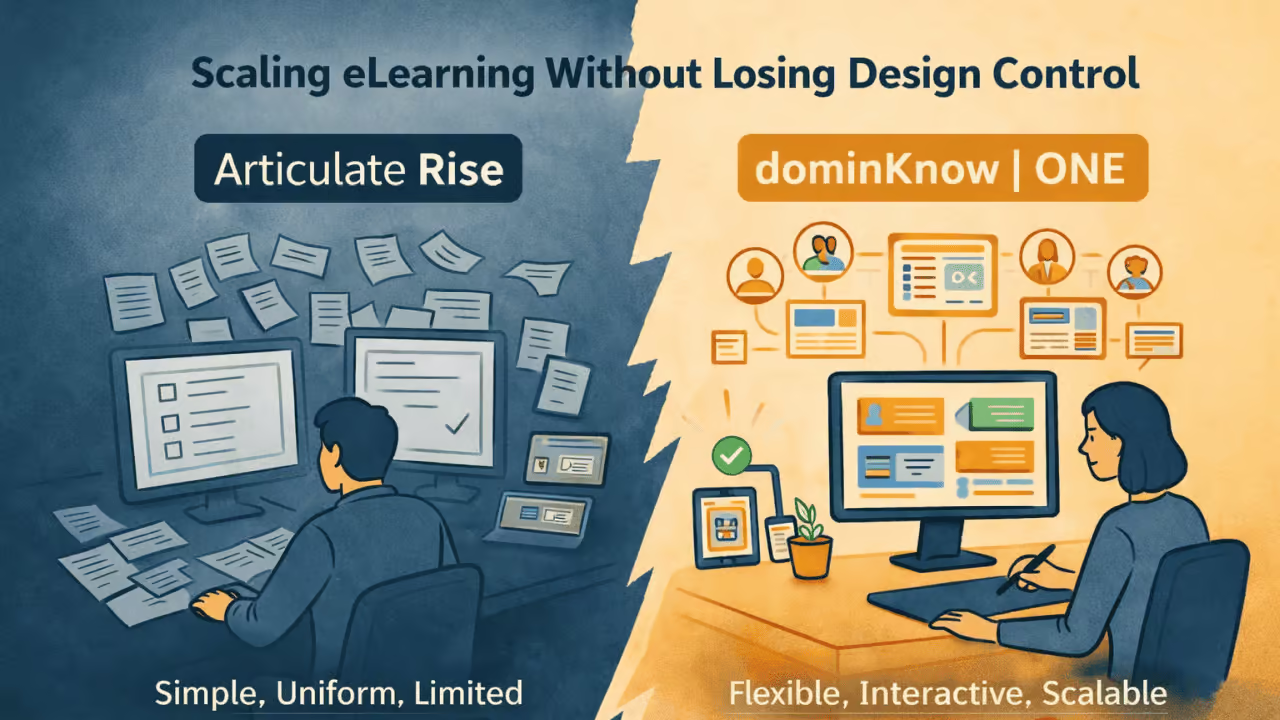
How growing learning programs maintain flexibility, consistency, and impact as they scale
For many learning teams, Articulate Rise feels like the right answer, at least at first.
It is fast to learn, easy to use, and makes it possible for subject matter experts and instructional designers alike to produce clean, responsive eLearning without a steep technical barrier. For small teams, pilot programs, or simple internal courses, Rise delivers exactly what it promises.
As organizations scale their learning programs and seek to deliver content across audiences, brands, regions, and business goals, many teams begin to face a new challenge: how to scale learning without sacrificing design flexibility, learner engagement, or long-term maintainability.
In a recent webinar, Beyond Rise: Unrestricted eLearning Design at Scale, instructional design leader Jacqueline “Jac” Hutchinson of eLearning Pros joined dominKnow to explore where learning teams start to feel constrained and how scaling learning does not have to mean settling for less thoughtful design.
“We work with organizations across industries, and we started seeing the same challenges repeat as programs grew.”
The Rise Promise—and the Ceiling Teams Don’t See Coming
Rise is designed to reduce friction. Its block-based authoring model, limited design choices, and guided layouts remove decision fatigue and help teams move quickly.
That simplicity is a feature, at least until learning needs become more nuanced. At that point, the same guardrails that once enabled speed can begin to limit differentiation.
As Jac explained during the webinar, her team works across multiple industries and client brands. . Over time, they began to notice a recurring pattern.
“Consistency wasn’t the issue. Every course looked exactly the same, regardless of the client or industry.”
The issue wasn’t consistency. It was indistinguishability across courses.
When every course uses the same layouts, menus, and interaction patterns, learning experiences start to blur together, not just within an organization, but across portfolios. For agencies, that weakens differentiation. For enterprises, it dilutes brand expression. For learners, it reduces engagement.
Five Common Pain Points That Emerge at Scale
During the webinar, attendees were asked to identify their biggest challenges with Rise. The results and follow-up discussion revealed five recurring friction points that tend to surface as learning programs grow.
“These challenges show up again and again as learning programs scale.”
1. “Samey” Design and Brand Dilution
Rise allows basic branding, including colors, fonts, and logos, but stops short of enabling true layout control.
Teams often need:
- Different page structures for different content types
- Visual hierarchy that aligns with brand standards
- Design systems that evolve across courses
Without that flexibility, courses may be consistent but not distinctive—and they often resemble everyone else’s Rise content, too.
2. Interactivity Is Limited Without Workarounds
Rise includes built-in interactions, but they come with shortcomings:
- Fixed layouts
- Limited logic
- Minimal conditional behavior
As learning programs mature, teams often want richer interactivity, such as reflection exercises, adaptive feedback, or variable-driven responses.
“You can build interactions in Rise, but the options become limiting as needs grow.”
To work around those limits, teams frequently embed Storyline blocks inside Rise courses.
“When learners used these activities on their phones, the experience broke down.”
While effective in isolation, embedded blocks introduce new challenges:
- Inconsistent mobile behavior
- Fragmented accessibility support
- Disjointed learner experiences
As Jac noted, learners on phones often struggled to complete Storyline interactions embedded in Rise, leading to incomplete activities and missed content.
3. Storyline Blocks Create UX and Maintenance Debt
Embedding Storyline blocks can be a stopgap to solve design gaps in Rise, but it creates long-term friction:
- Non-responsive behavior inside a responsive course
- Separate source files to manage
- Additional QA and update complexity
- Increased update complexity
What starts as a workaround quickly becomes technical debt, especially when courses need frequent updates or are reused across programs.
4. Multiple Audiences Mean Multiple Courses
Many learning programs serve more than one audience:
- Employees and managers
- Staff and supervisors
- Customers and partners
In Rise, the common solution is duplication:
- Copy the course
- Remove or add sections
- Maintain two (or more) versions in parallel
That approach can work, but when content changes...
As Jac described, updating duplicated courses means:
- Manually tracking what changed where
- Updating the same content multiple times
- Increasing the risk of errors and inconsistencies
- Increasing publishing and distribution effort
At scale, duplication quickly becomes one of the highest hidden costs in eLearning.
5. Updates Multiply Effort—Especially with Translation
When courses are duplicated, translation effort multiplies.
A small update to shared content can require:
- Updating multiple courses
- Re-sending content for translation
- Re-reviewing every language version
For global organizations, this quickly becomes unsustainable, and it often takes a toll on available time to improve the overall quality of content.
Why Plugins and SCORM Hacks Don’t Solve the Problem
Advanced Rise users often respond to limitations by:
- Installing plugins
- Unzipping and editing SCORM packages
- Injecting custom HTML or JavaScript
“Just because you can edit a SCORM file doesn’t mean it’s maintainable.”
Technically, these approaches can work.
Practically, they create fragile systems:
- Updates overwrite custom changes
- Fixes must be reapplied repeatedly
- Only a few team members understand how things work
As discussed in the webinar, the question isn’t “Can you do this?” It’s “Can you maintain it?”
The real question is not whether something can be done. It is whether it can be maintained at scale.
The Real Cost of “Easy” at Scale
Individually, each limitation feels manageable.
Collectively, they slow teams down.
Over time, organizations begin to experience:
- Longer update cycles
- Increased QA overhead
- Reduced design innovation
- Accessibility gaps
- Lower learner engagement
- Limited insight into learner behavior
The irony is that a tool chosen for speed eventually becomes the reason teams can’t move quickly anymore.
Rise Isn’t the Problem—Mismatch Is
It’s important to be clear: this isn’t an argument against Rise.
Rise is effective for what it’s designed to do.
The issue emerges when organizations try to stretch a tool beyond its intended purpose. using a simplicity-first authoring environment to support complex, multi-audience, brand-driven learning ecosystems.
As learning becomes more strategic and teams seek to link training to performance, revenue, compliance, and customer success, teams need platforms built not just for creation, but for design freedom, reuse, and scale.
That’s where many organizations begin looking beyond Rise and toward solutions like dominKnow | ONE, which were designed from the start to support unrestricted design and long-term content management.
What Comes Next
Understanding why teams outgrow Rise is only the first step.
In the next article, we’ll look at what happens after that moment—how organizations convert existing Rise content and unlock new possibilities without rebuilding from scratch.
Read Part 2: From Rise to Unrestricted—What Becomes Possible After Conversion
Ready to explore what dominKnow | ONE can do for your organization? Schedule a call with our team and let’s explore your organization’s needs together!