

How to Create and Test Accessible eLearning Content: From Theory to Practice

[00:03] What would you like to create?
[00:06] Domino One can help you create any kind
[00:08] of learning experience to help your organization.
[00:13] That might be formal learning, like e-learning courses
[00:34] or other learning experiences like games,
[00:48] infographics,
[00:56] or a knowledge base,
[01:01] which can help your learners learn in different ways.
[01:09] Domino One helps your team centralize
[01:11] its learning content development.
[01:13] Your team makes everything in one place,
[01:15] so content files never get lost.
[01:19] Your team can make traditional fixed layout content
[01:23] or make truly responsive content all in one place.
[01:39] It is easy to get started in Domino One.
[01:44] There are great design template sets,
[01:55] collections of stock images like backgrounds and people.
[02:13] You can even start by importing a PowerPoint file
[02:17] with Domino One.
[02:18] Your team will need fewer tools overall.
[02:22] With the Built-in Image editor, you can apply filters
[02:25] and crop or resize images quickly.
[02:27] With the Built-In Capture feature,
[02:29] you can quickly create software lessons.
[02:39] The content your team creates can be shared
[02:41] across multiple projects.
[02:43] The centralized media library makes it easy to track
[02:45] where an image has been used
[02:47] and quickly updated across all pages.
[02:51] Learning topics can be shared across multiple projects.
[02:58] Your team can even work together in real time in any
[03:02] project, and it's so easy to gather.
[03:05] Review feedback, just invite your SMEs to a review.
[03:09] And Domino One helps you track every
[03:10] issue through to completion.
[03:13] Domino one, it's the tool that asks you what would you like
[03:17] to create?

[00:03] What would you like to create?
[00:06] Domino One can help you create any kind
[00:08] of learning experience to help your organization.
[00:13] That might be formal learning, like e-learning courses
[00:34] or other learning experiences like games,
[00:48] infographics,
[00:56] or a knowledge base,
[01:01] which can help your learners learn in different ways.
[01:09] Domino One helps your team centralize
[01:11] its learning content development.
[01:13] Your team makes everything in one place,
[01:15] so content files never get lost.
[01:19] Your team can make traditional fixed layout content
[01:23] or make truly responsive content all in one place.
[01:39] It is easy to get started in Domino One.
[01:44] There are great design template sets,
[01:55] collections of stock images like backgrounds and people.
[02:13] You can even start by importing a PowerPoint file
[02:17] with Domino One.
[02:18] Your team will need fewer tools overall.
[02:22] With the Built-in Image editor, you can apply filters
[02:25] and crop or resize images quickly.
[02:27] With the Built-In Capture feature,
[02:29] you can quickly create software lessons.
[02:39] The content your team creates can be shared
[02:41] across multiple projects.
[02:43] The centralized media library makes it easy to track
[02:45] where an image has been used
[02:47] and quickly updated across all pages.
[02:51] Learning topics can be shared across multiple projects.
[02:58] Your team can even work together in real time in any
[03:02] project, and it's so easy to gather.
[03:05] Review feedback, just invite your SMEs to a review.
[03:09] And Domino One helps you track every
[03:10] issue through to completion.
[03:13] Domino one, it's the tool that asks you what would you like
[03:17] to create?
[00:03] What would you like to create?
[00:06] Domino One can help you create any kind
[00:08] of learning experience to help your organization.
[00:13] That might be formal learning, like e-learning courses
[00:34] or other learning experiences like games,
[00:48] infographics,
[00:56] or a knowledge base,
[01:01] which can help your learners learn in different ways.
[01:09] Domino One helps your team centralize
[01:11] its learning content development.
[01:13] Your team makes everything in one place,
[01:15] so content files never get lost.
[01:19] Your team can make traditional fixed layout content
[01:23] or make truly responsive content all in one place.
[01:39] It is easy to get started in Domino One.
[01:44] There are great design template sets,
[01:55] collections of stock images like backgrounds and people.
[02:13] You can even start by importing a PowerPoint file
[02:17] with Domino One.
[02:18] Your team will need fewer tools overall.
[02:22] With the Built-in Image editor, you can apply filters
[02:25] and crop or resize images quickly.
[02:27] With the Built-In Capture feature,
[02:29] you can quickly create software lessons.
[02:39] The content your team creates can be shared
[02:41] across multiple projects.
[02:43] The centralized media library makes it easy to track
[02:45] where an image has been used
[02:47] and quickly updated across all pages.
[02:51] Learning topics can be shared across multiple projects.
[02:58] Your team can even work together in real time in any
[03:02] project, and it's so easy to gather.
[03:05] Review feedback, just invite your SMEs to a review.
[03:09] And Domino One helps you track every
[03:10] issue through to completion.
[03:13] Domino one, it's the tool that asks you what would you like
[03:17] to create?


[00:03] What would you like to create?
[00:06] Domino One can help you create any kind
[00:08] of learning experience to help your organization.
[00:13] That might be formal learning, like e-learning courses
[00:34] or other learning experiences like games,
[00:48] infographics,
[00:56] or a knowledge base,
[01:01] which can help your learners learn in different ways.
[01:09] Domino One helps your team centralize
[01:11] its learning content development.
[01:13] Your team makes everything in one place,
[01:15] so content files never get lost.
[01:19] Your team can make traditional fixed layout content
[01:23] or make truly responsive content all in one place.
[01:39] It is easy to get started in Domino One.
[01:44] There are great design template sets,
[01:55] collections of stock images like backgrounds and people.
[02:13] You can even start by importing a PowerPoint file
[02:17] with Domino One.
[02:18] Your team will need fewer tools overall.
[02:22] With the Built-in Image editor, you can apply filters
[02:25] and crop or resize images quickly.
[02:27] With the Built-In Capture feature,
[02:29] you can quickly create software lessons.
[02:39] The content your team creates can be shared
[02:41] across multiple projects.
[02:43] The centralized media library makes it easy to track
[02:45] where an image has been used
[02:47] and quickly updated across all pages.
[02:51] Learning topics can be shared across multiple projects.
[02:58] Your team can even work together in real time in any
[03:02] project, and it's so easy to gather.
[03:05] Review feedback, just invite your SMEs to a review.
[03:09] And Domino One helps you track every
[03:10] issue through to completion.
[03:13] Domino one, it's the tool that asks you what would you like
[03:17] to create?

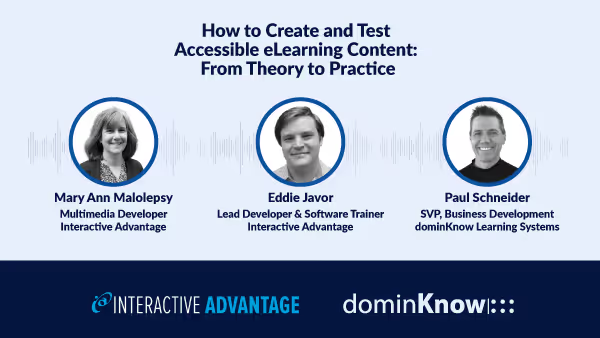
Despite the growing awareness of digital accessibility, many content creators are still at a loss on how to successfully create and validate accessible learning experiences. To solve this, we're demonstrating the tools and processes we use with our clients to deliver accessible learning experiences so you can learn from our experiences.
Join us Thursday, May 30th, 11AM ET for an informative, hands-on webinar where we'll show you how different types of content are made accessible throughout the authoring process. And once created, we'll share guidance on how your organization can manage the testing & QA process internally, or suggest alternative options for managing large-scale creation or remediation projects.
Join this interactive demonstration of authoring accessible learning content, and have your questions answered.
Can't make it? Register and we'll send you the recording afterward.
